OpenCare
A personal health record platform that lets patients query their own medical data through natural language.
Overview
A three-service system where patients upload, redact, and semantically query their own medical records through an AI-powered chat interface.
Built for a university database systems course, OpenCare implements the PerHL (Personal Health Library) research architecture — pairing a structured PostgreSQL record store with a vector search layer and a streaming Gemini integration that grounds every answer in the patient's actual health data.
Role
Full Stack Developer
System Architect
ML Integration
Context
University Course Project
Team Development
Timeline
Jan 2026 — May 2026
Architecture
3 services
Monorepo + submodules
Document Pipeline
From upload to AI answer — every step secured
Upload
Patient uploads a PDF, image, or plain text file (up to 50 MB) via the React SPA.
Frontend
Redact
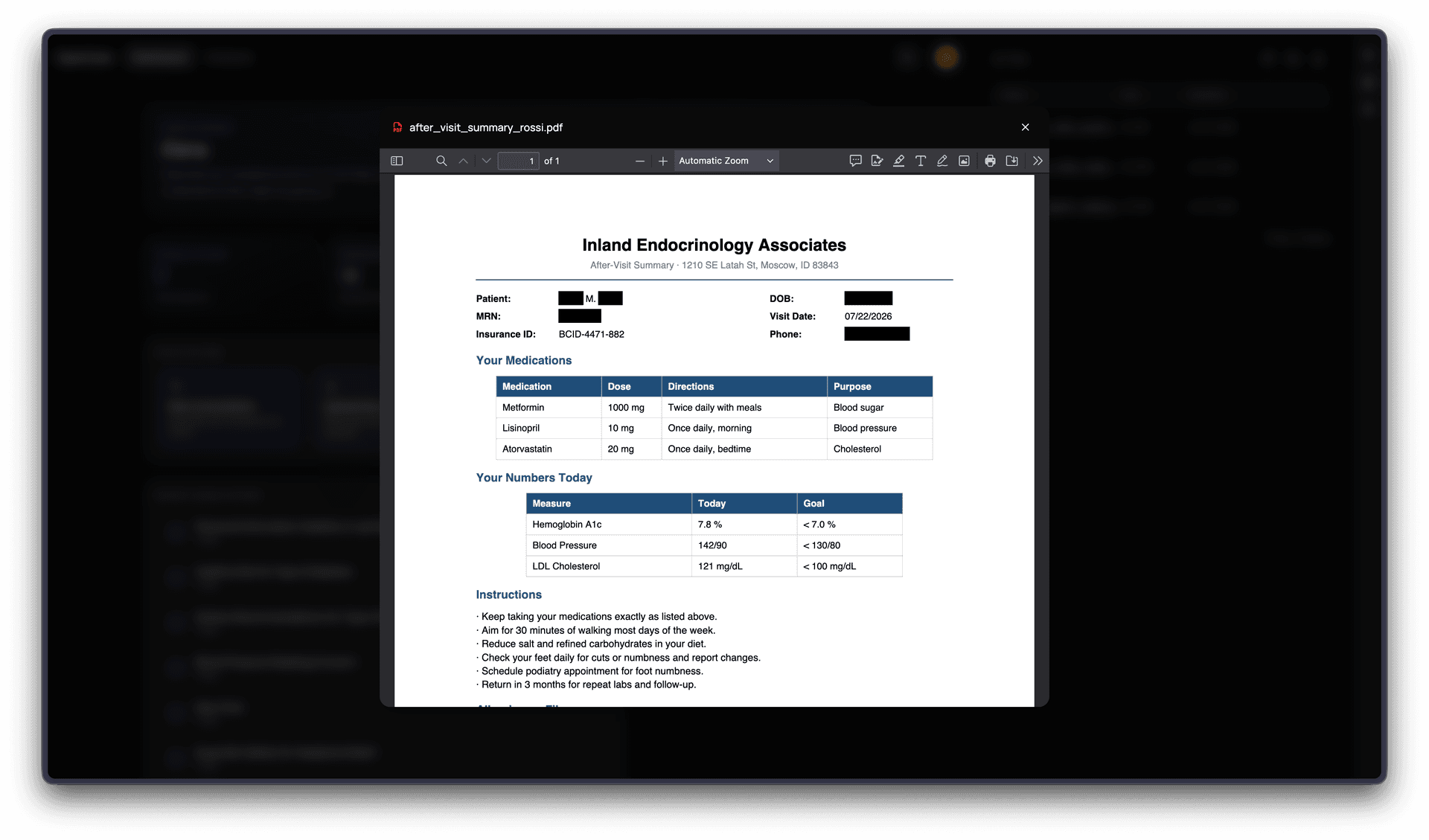
Flask microservice uses PyMuPDF to locate and black-out specified terms — stripping PII before anything persists.
Python Service
Store
Redacted file is written to MinIO object storage. Pre-signed URLs are generated for secure, time-limited downloads.
MinIO / S3
Embed
Document text is chunked and passed to a Hugging Face embedding model. Vectors are stored in PostgreSQL via the pgvector extension.
Hugging Face
Query
When a patient sends a message, the AI retrieves semantically similar document chunks alongside their structured health profile to ground the response.
Google Gemini
Stream
Gemini's response streams token-by-token through the Express server and renders progressively in the chat interface.
Express → React
Services
Three independent services, one platform
App
React SPA
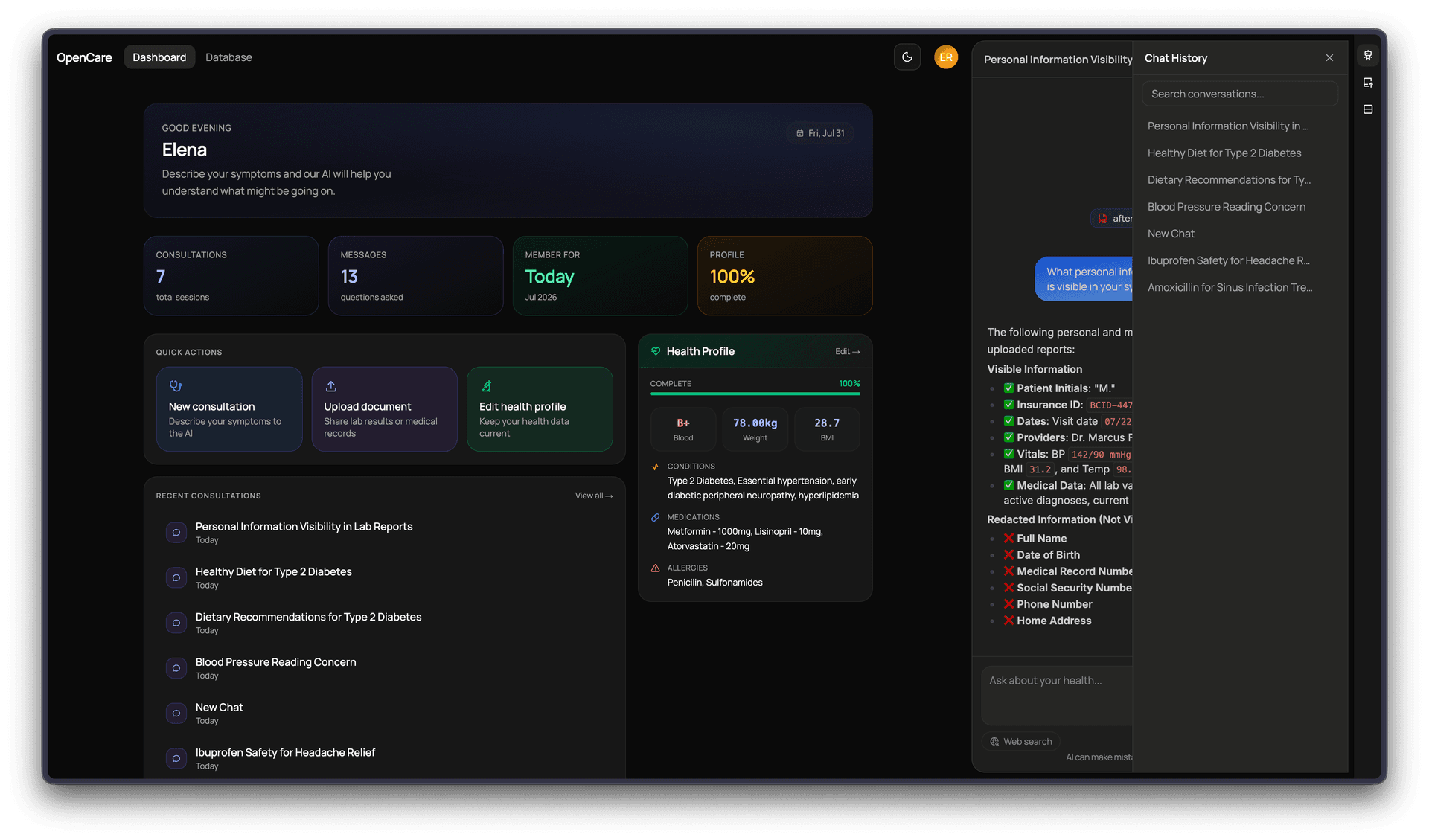
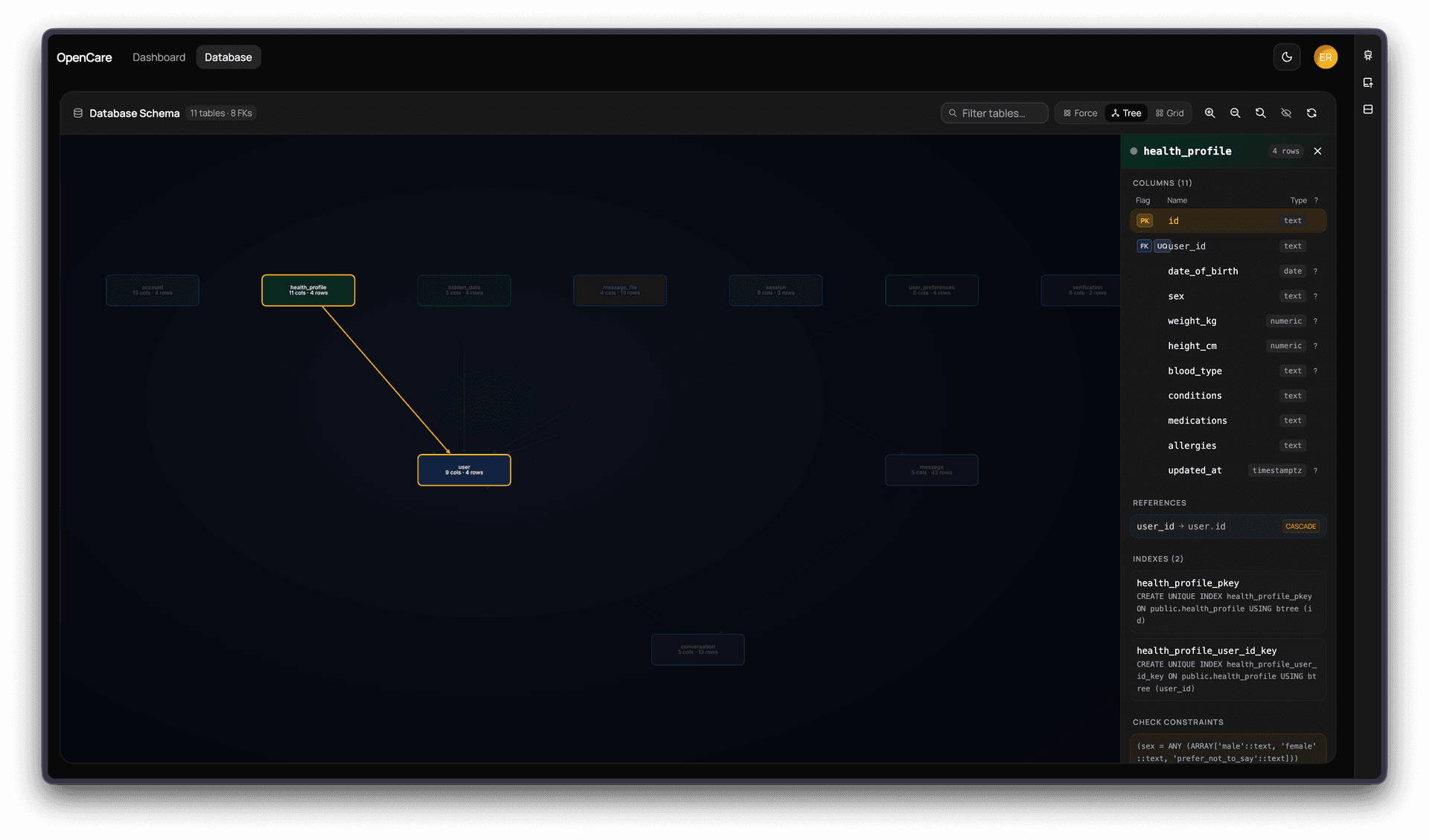
Patient-facing interface built with React 19 and Vite. Handles AI chat, health profile management, file uploads, and a live interactive ER diagram of the database schema.
- React 19
- Vite 8
- TypeScript
- TailwindCSS v4
- shadcn/ui
- Cytoscape.js
- Better Auth
Server
Express API
Node.js backend that orchestrates authentication, AI conversations, file storage, and all database operations. The single integration point between the frontend and all external services.
- Express 5
- TypeScript
- PostgreSQL + pgvector
- Google Gemini
- Hugging Face
- MinIO
- Better Auth
- Tavily
Python Service
Redaction Microservice
Stateless Flask microservice with a single responsibility: receive a file and a list of terms, redact all matches using PyMuPDF, and return the sanitized document. API-key secured.
- Flask
- Python
- PyMuPDF
- MinIO SDK
Features
What the platform does
AI & Conversation
Health-aware AI chat
Every conversation is grounded in the patient's own data — demographics, medications, allergies, blood type, and conditions are injected into the Gemini context window automatically. The AI knows who it's talking to.
Streaming responses
Gemini's output is streamed token-by-token through the Express server using server-sent events, rendering progressively in the chat UI so patients see the response being written in real time rather than waiting for a complete answer.
Web search grounding
Optionally, the AI can call Tavily to fetch live web results and cite them alongside the patient's own health data — useful for questions about drug interactions, recent guidelines, or general medical context.
File attachments in chat
Patients can attach documents directly in the chat window. Files go through the full redaction → storage → embedding pipeline before the AI references their content in its reply.
Auto-titled conversations
After the first exchange, the server asks Gemini to generate a short descriptive title for the conversation and persists it — keeping the chat history organized without any patient effort.
Document Pipeline
PII redaction before storage
No sensitive term ever touches the object store unredacted. The Python microservice intercepts every upload, processes it with PyMuPDF to black out the specified terms, and only the sanitized version is forwarded to MinIO.
Semantic search via pgvector
Document chunks are embedded with a Hugging Face model and stored as vector columns in PostgreSQL using the pgvector extension. At query time, cosine similarity search retrieves the most relevant chunks to include in the AI's context.
S3-compatible file storage
MinIO provides S3-compatible object storage for all patient documents. Files are organized into per-user folders; downloads use pre-signed URLs so the frontend never needs direct storage credentials.
Health Profile & Data
Structured health records
Patients maintain a profile covering date of birth, blood type, height, weight, current medications, known allergies, and chronic conditions. This structured data is always available to the AI alongside any uploaded documents.
Multi-provider authentication
Better Auth handles session management with support for email/password and Google OAuth. Multi-factor authentication is available. Patients can update their email and manage active sessions from the settings page.
AI preference settings
Patients can tune how the AI behaves — adjusting response style, verbosity, and whether web search grounding is active — from the settings page, without touching any configuration files.
Developer Experience
Live database schema visualization
A dedicated /database route fetches the full live schema — every table, column, primary key, foreign key, and unique constraint — from the backend and renders it as an interactive entity-relationship diagram using Cytoscape.js.
Docker Compose orchestration
PostgreSQL, pgvector, MinIO, and all three application services are wired together in a single Compose file. The opencare-platform monorepo ties the submodules together so the entire system boots with one command.
Full Tech Stack
Frontend
- React 19
- Vite 8
- TypeScript
- TailwindCSS v4
- shadcn/ui
- Cytoscape.js
Backend
- Express 5
- Node.js
- TypeScript
- Better Auth
AI / ML
- Google Gemini
- Hugging Face
- Tavily
- pgvector
Data & Infra
- PostgreSQL
- MinIO / S3
- Flask
- PyMuPDF
- Docker